Add text to video
Titles and captions on your video, each at its own time.
Drop files here
or click to choose from your deviceAccepted: MP4, M4V, MOV, WEBM
One file per runUp to 150 MB per file5 runs per dayRemove limits with Pro✓ Works offline
Your files stay on your device
This tool runs entirely in your browser. Nothing is uploaded, nothing is stored, and you can even turn off your internet connection before you start.
Example
Example: a first-day-of-school clip with a title and three timed captions
A 24-second landscape clip from a phone, IMG_0412.MOV, 1920 × 1080, of a child at the school door on the first day of kindergarten. Four lines go into the text box. Position Bottom, size Medium, style “Dark box behind”, colour White: all the defaults.
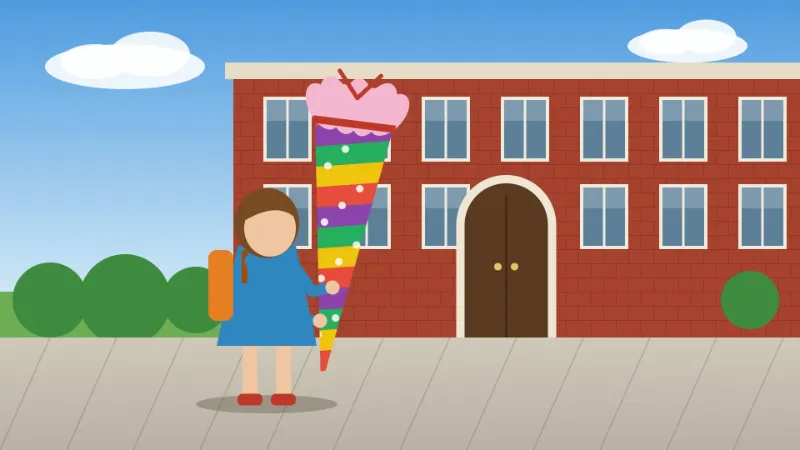
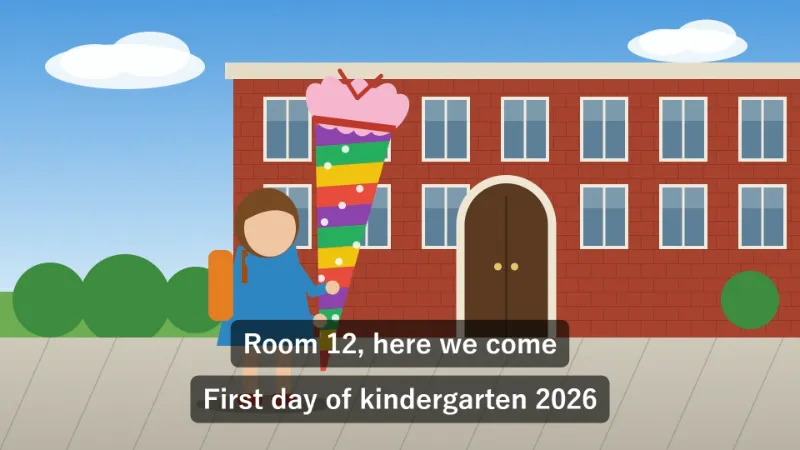
- The line without a time range stays for the whole video. When a timed caption shows at the same time, the two are stacked one above the other, so neither covers the other.
- Timed captions fade in and out over 0.2 seconds; one that starts at 0 is there from the first frame.
- The type is sized from the shorter side of the picture: Medium is 6 % of 1080, so 65 pixels; Large is 86 and Small 49. A vertical 1080 × 1920 clip gets the same sizes.
- The last line runs to 0:30 but the video ends at 0:24. It is cut short, and the page says: “Cut short at the end of the video (0:24): line 4 (0:18.5-0:30 Bye, Mom!).”
| Line in the text box | On screen |
|---|---|
| First day of kindergarten 2026 | The whole video, 0:00 to 0:24 |
| 0-4 Mia, age 5 | From the first frame to 4 s, then fades out |
| 0:05-0:09 Room 12, here we come | 5 to 9 s, fading in and out |
| 0:18.5-0:30 Bye, Mom! | From 18.5 s to the end at 0:24 |
IMG_0412-text.mp4, still 1920 × 1080, with the sound kept. Six seconds in, the frame shows two dark boxes at the bottom, “Room 12, here we come” and the title, stacked. Half seconds can be written 0:18.5 or 0:18,5.
How it works
- Add a video — MP4, MOV from a phone, or WebM.
- Type one caption per line. To show it only for a while, start the line with the time range: 0:02-0:05 Happy birthday! A line without a range stays for the whole video.
- Choose the position, size, style and colour, press Add text and download the video named with “-text”.
Frequently asked questions
- How do I write the times?
- At the start of the line, then a space and the text: 0:02-0:05 Hello, or 2-5 Hello in seconds, or 0:02.5-0:04 for half seconds; for long videos 1:02:03-1:02:08. Captions fade in and out.
- What if two captions overlap?
- Both are shown, stacked one above the other, so they never cover each other. Long captions wrap onto up to three lines.
- Does it keep the quality and sound?
- The video keeps its size and frame timing and is encoded again at about its own bitrate; AAC sound is copied untouched, other sound is converted to AAC.
- Which languages can I write in?
- Any — accents, Japanese, Korean, Turkish and emoji use your device’s fonts.
- How big can the video be?
- On the free plan, one video of up to 150 MB per run, about a minute of 1080p phone video, and 5 runs a day; Pro lifts the limits. The video is encoded on your device, so a long 4K clip wants a computer with plenty of memory.
- Does it work on vertical phone videos?
- Yes. The text size follows the shorter side, so a 1080 × 1920 portrait clip gets the same 65-pixel Medium captions as a 1920 × 1080 one, kept within 90 % of the width and wrapped onto up to three lines.
- Is my video uploaded?
- No. The text is drawn and the video encoded in your browser; nothing leaves your device.